Just an effort to compile all I learn from variety of sources like nature, religion, surroundings, books, work, friends, and Internet in form of Poems and Articles.
तलाश
Get link
Facebook
X
Pinterest
Email
Other Apps
वजह जानने की कोशिश में, ज़िन्दगी से ही दूर हूँ, जाने कहाँ गुम हूँ मैं, खुद की तलाश है मुझे... - कृष्णा
I assume that the Fedora Installation you have on your system have minimal packages and installed with GNOME desktop. Though it's optional, you can check for existing installation of package, by typing " rpm -qa | grep <pkg_name> ", in our case, i.e. Perl. If not present, I prefer installing Perl binaries from Fedora repository only. To do that (as you are reading my blog here, I assume your system is connected to Internet), type below command: [root@fedora32 ~]# yum install perl This will install Perl-5.14.2-198 . fc16.i686 package and other related Perl packages as per requirement. Also install various dependencies which will come in course of compiling and "configure/make" of required source packages by typing below commands. [root@fedora32 ~]# yum install gcc gcc-g++ [root@fedora32 ~]# yum install libX11-devel [root@fedo...
Hardening Tomcat version 7.0.56 1) Disable not-needed services using chkconfig command as part of Operating System Hardening. 2) Install latest stable release of Java 3) Remove all contents is Webapps directory Set CATALINA_HOME variable first before executing below commands #CATALINA_HOME="/usr/local/apache-tomcat-7.0.56" #rm -rf $CATALINA_HOME/webapps/docs #rm -rf $CATALINA_HOME/webapps/examples #rm –rf $CATALINA_HOME/server/webapps/host-manager #rm –rf $CATALINA_HOME/server/webapps/manager #rm -rf $CATALINA_HOME/conf/Catalina/localhost/host-manager.xml #rm –rf $CATALINA_HOME/conf/Catalina/localhost/manager.xml 4) Run tomcat from Non-privileged account. Add user tomcat_admin and group tomcat. # groupadd tomcat; useradd -r tomcat_admin -G tomcat;. 5) Set below owner, group and others permission on Tomcat directories chown tomcat_admin:tomcat $CATALINA_HOME chmod g-w,o-rwx $CATALINA_HOME chown tomcat_admin:tomcat $CATALINA_HOME/conf ...
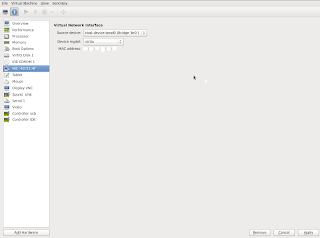
This post is written assuming that you already are running Virtual Machines using KVM on RHEL 6.x/CentOS 6.x. Objective: To bring virtual machines, say vm01 and vm02 hosted on a Server, MyServer with two interfaces eth0 and eth1 on the same network as MyServer. Suppose MyServer's IP address is 10.x.y.a. I want my Virtual Machines to have IP addresses 10.x.y.b and 10.x.y.c. so that I will be able to access them from any machine from the same network as they are physcial machines. This way we will be able to access them over web if required. How To: First of all we need to do bonding of eth0 and eth1 of the MyServer so that they can be accessed through bond0 interface which is going to be connected to bridge br0 later. # vi /etc/modprobe.d/bonding.conf add below line in the newly created file: alias bond0 bonding # vi /etc/sysconfig/network add below two lines: NETWORKING=yes HOSTNAME=MyServer # vi /etc/sysconfig/network-scripts/ifcfg-eth0 Change your configur...
Comments
Post a Comment